Product releases and changelog

Selected Product: Mobile

Explore the most recent changes, updates, and new features introduced in the Goelett app. Stay informed about our ongoing improvements, designed to enhance the user experience and optimize the application’s performance

Select
product type

Native car rental search in mobile app

With this release, we complete the native travel booking experience in mobile app by launching native car rental search – now available alongside hotels, rail, and air.
The new native car booking interface has been designed to fit seamlessly within the mobile app environment, offering you faster and more intuitive experience.
 

Key features include:
 

  • Location selection: search by city, point of interest, or current location   
  • Calendar view: easy date selection for pick-up and return   
  • Filters: narrow down results by car class or rental company   
  • Contextual messages: real-time prompts to support travellers during their search journey  
     

This update eliminates the need to switch to a web view, giving users a smoother and more consistent booking experience directly in the app.
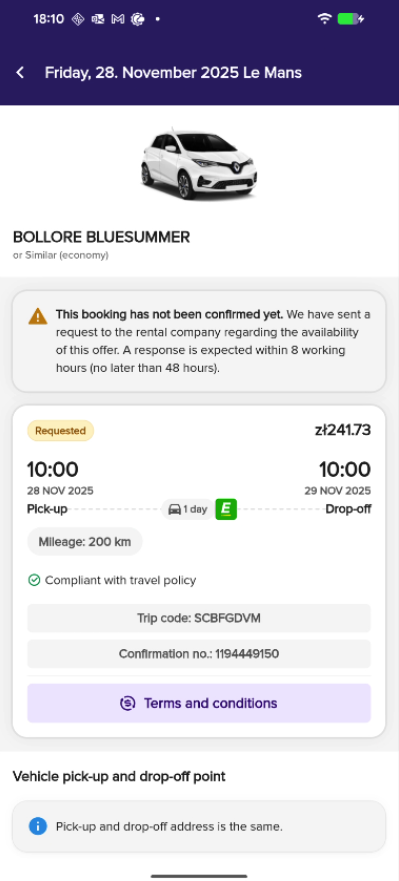
Improved support for “on request” hotel & car bookings

We’ve enhanced the experience around on request hotel and car bookings to provide app users with better clarity and reduce confusion when a booking isn’t instantly confirmed.

Now:

  • Clearer status updates: you can now see more informative messages in the app, including an explanation of what “on request” means and when you can expect a response from the hotel or rental company.
  • Voucher logic: Hotel vouchers for on request bookings are no longer shown until the reservation is officially confirmed, preventing premature use or assumptions of confirmation.

These changes help set clear expectations and support smoother communication between travellers and providers.

Example:

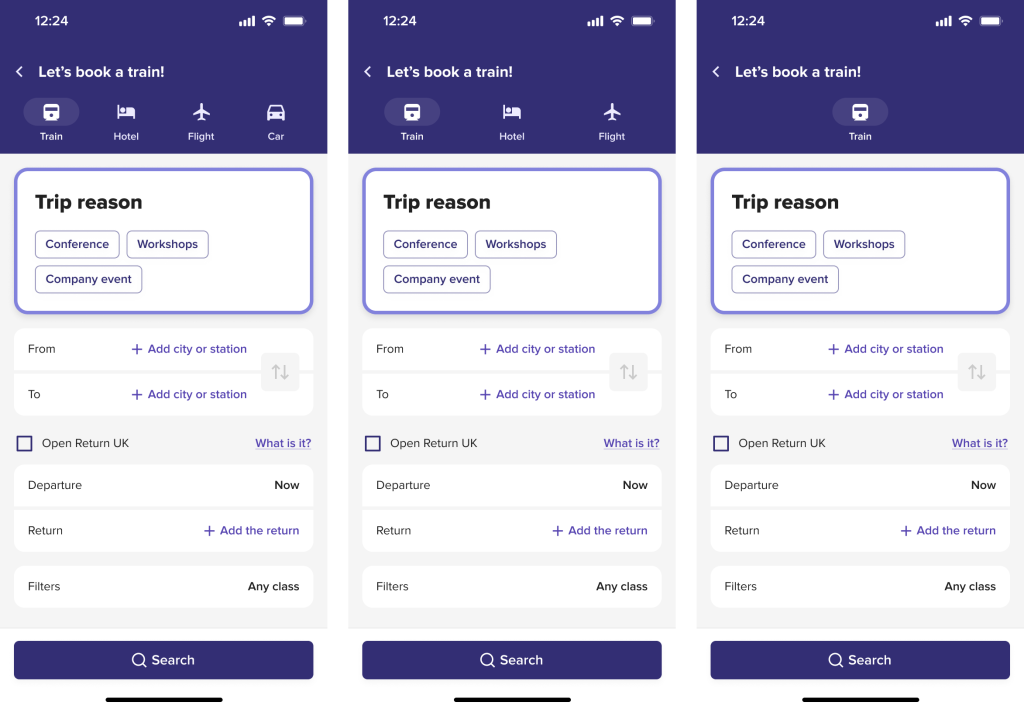
New way to display available service in mobile

We’ve improved how provider configurations are managed on mobile. The app now clearly disables booking options from the top navigation search bar when no services are configured, preventing errors and confusion. In those cases the message will inform you about missing services.

Example with different service types available:


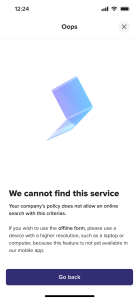
Offline form redirect explanation

In cases where a booking can only be completed via the offline form (e.g. due to specific search constraints), you will now see a clear explanation of why you are being redirected. This ensures transparency and avoids frustration during the booking flow.

How does it look now?

Native hotel & flight search now available in the mobile app

With this release, we’re excited to launch new native search for hotels and flights directly within the mobile app. Until now, users were redirected to a web view for these actions. Thanks to this improvement, the entire booking experience stays within the app environment, offering you  smoother navigation, faster performance and pages optimized for mobile use. In addition, we’ve introduced contextual messages during the search journey, so you are clearly informed about important actions (like missing hotel booking) or relevant information at the right time.

This update marks a major step forward in delivering a more intuitive, helpful, and on-the-go booking experience.

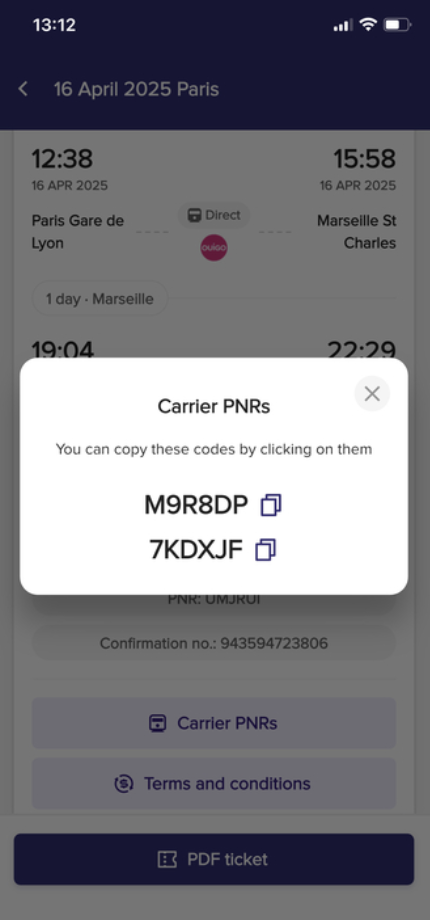
Single click copying of trip codes in Mobile App

Travelers can now easily copy key booking identifiers – such as the Trip Code, PNR, and Trip Confirmation Number – directly from the booking summary view in the mobile app. 

This enhancement saves time and effort when generating a boarding card, reporting an issue via email or support form, especially for long or complex codes that are difficult to memorize. 

New native rail search in mobile app

A new native card layout has been implemented for rail search in the mobile app, streamlining the booking experience in on-the-go conditions. The updated interface is optimized for speed, clarity, and minimal input effort, enabling bookers to plan train journeys quickly and intuitively, even in crowded or low-connectivity environments. 

With this new view, users can now: 

  • See a list of preferred train stations for quicker selection, 
  • Use an improved calendar with clear To/Return date indicators and visible time slots, 
  • Apply additional filters, such as travel class or accessibility options. 

Additionally, contextual search messages are now supported, allowing users to receive real-time updates (e.g. delays, disruptions) directly within the search experience. 

This enhancement significantly improves mobile usability and can contribute to higher rail booking completion rates.

Missed savings now displayed in mobile booking cart

To improve transparency and encourage cost-aware decisions, the missed savings indicator-and Lowest Logical Fare (LLF) logic is now also visible in the mobile booking cart. This enhancement helps travelers stay informed and supports corporate travel policies by highlighting economic indicator in the mobile view.

New seat map view for PAO ITP bookings in mobile app

We’ve introduced a new seat map view for rail bookings made via the PAO provider, including PAO ITP, in the mobile app. This enhancement allows travelers to view and select seats more easily on mobile, improving the booking experience for PAO-based rail journeys.

ENHANCEMENT TO RAIL CARRIER PNRs IN GOELETT MOBILE APP

We have introduce an improvement to user experience by providing travelers with access to all carrier PNRs associated with their rail bookings. This allows for more effective management of train bookings, even outside the Goelett app. 

Due to current limitations in linking carrier PNRs to specific rail segments, all returned PNRs will be displayed. This ensures travelers have access to all necessary information, particularly for complex itineraries involving multiple carriers. A “Carrier PNRs” button will be available under the main chips, regardless of the number of PNRs. This implementation will be revisited and refined once segment-level PNR information becomes available.

How does it look in the app?

Request a demo

Request a personalized demo to unlock the potential of seamless booking with Goelett.
Explore how our online booking solution can enhance travel management at your company.

Please note: this form is not intended for travel support inquiries.
If you need help with an existing booking, please contact your travel manager or agency.
You can find their contact details by clicking on your initials in the main dashboard and selecting “Agency contact information.”